Logs & Log Streams preview

The problem

Logs are the primary reason developers return to the Auth0 dashboard after initial setup, the first stop when something breaks in production. But the experience was broken. Search returned inconsistent results, state couldn’t be shared or bookmarked, and routing logs to external security tools required maintaining 11 separate, fragile manual integrations.

What I did

Research crystallized the core failure:

We have to ask the user if they’re still experiencing it. Debugging is very hard.

Developers couldn’t reconstruct a past investigation, share a search with a teammate, or pick up where they left off.

I redesigned search to serialize active filters and queries into the URL, so searches could be bookmarked, shared, and revisited naturally. Severity filters, full-text search, and the open log’s detail panel all live in the address bar.
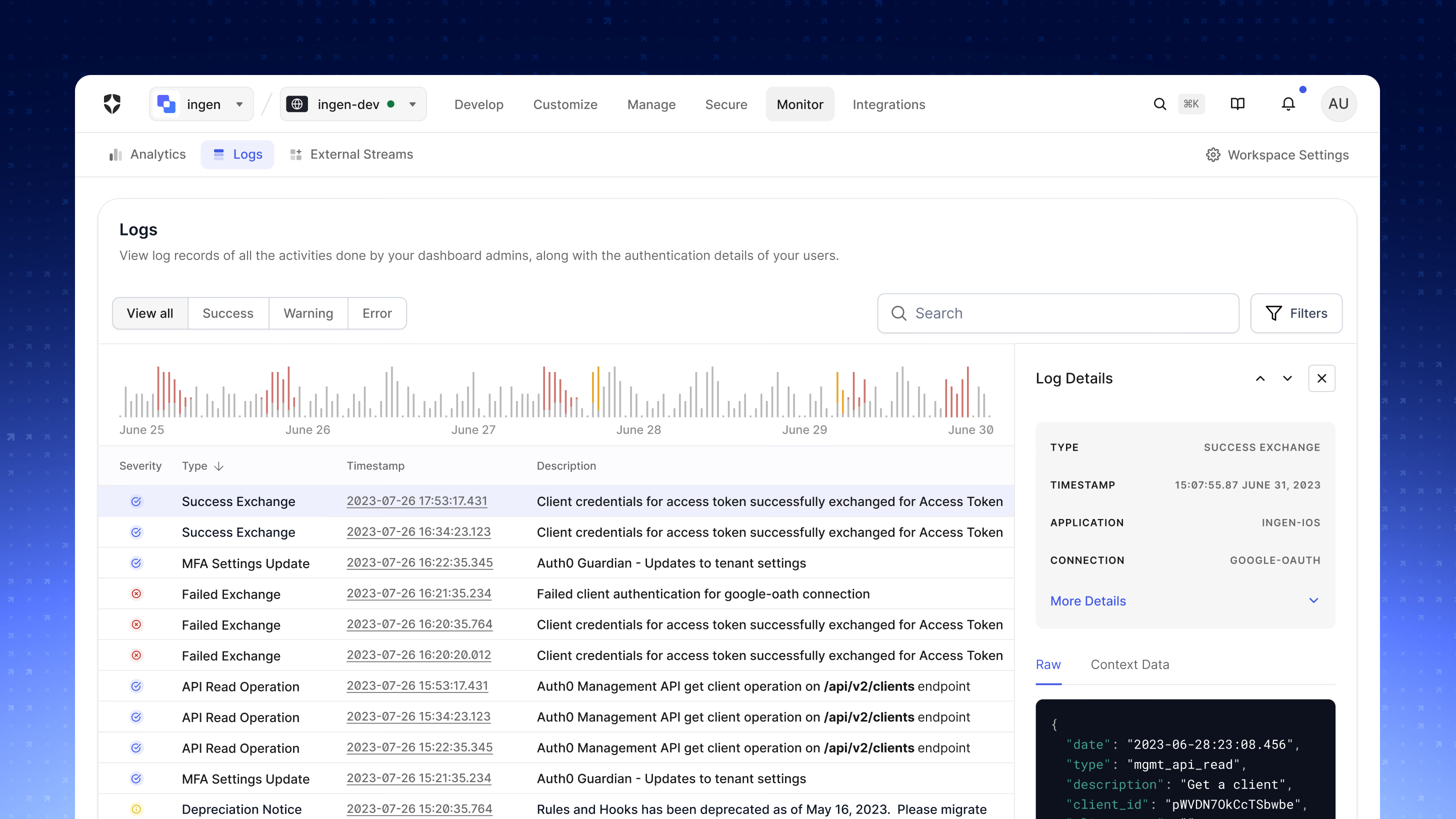
The Auth0 Logs page with severity tabs for all, success, warning, and error events, a search field and filters, an activity histogram by date, a table of log entries, and a Log Details side panel showing the raw JSON event.
Shareable, URL-encoded search state: filters, query, and the open log detail all live in the URL.

For log streaming, rather than routing everything externally — expensive and noisy — I designed a guided setup so a developer could stand up a stream against any provider without hand-maintaining an integration. The flow starts from an honest empty state and walks through provider selection, scoped permissions, and configuration.
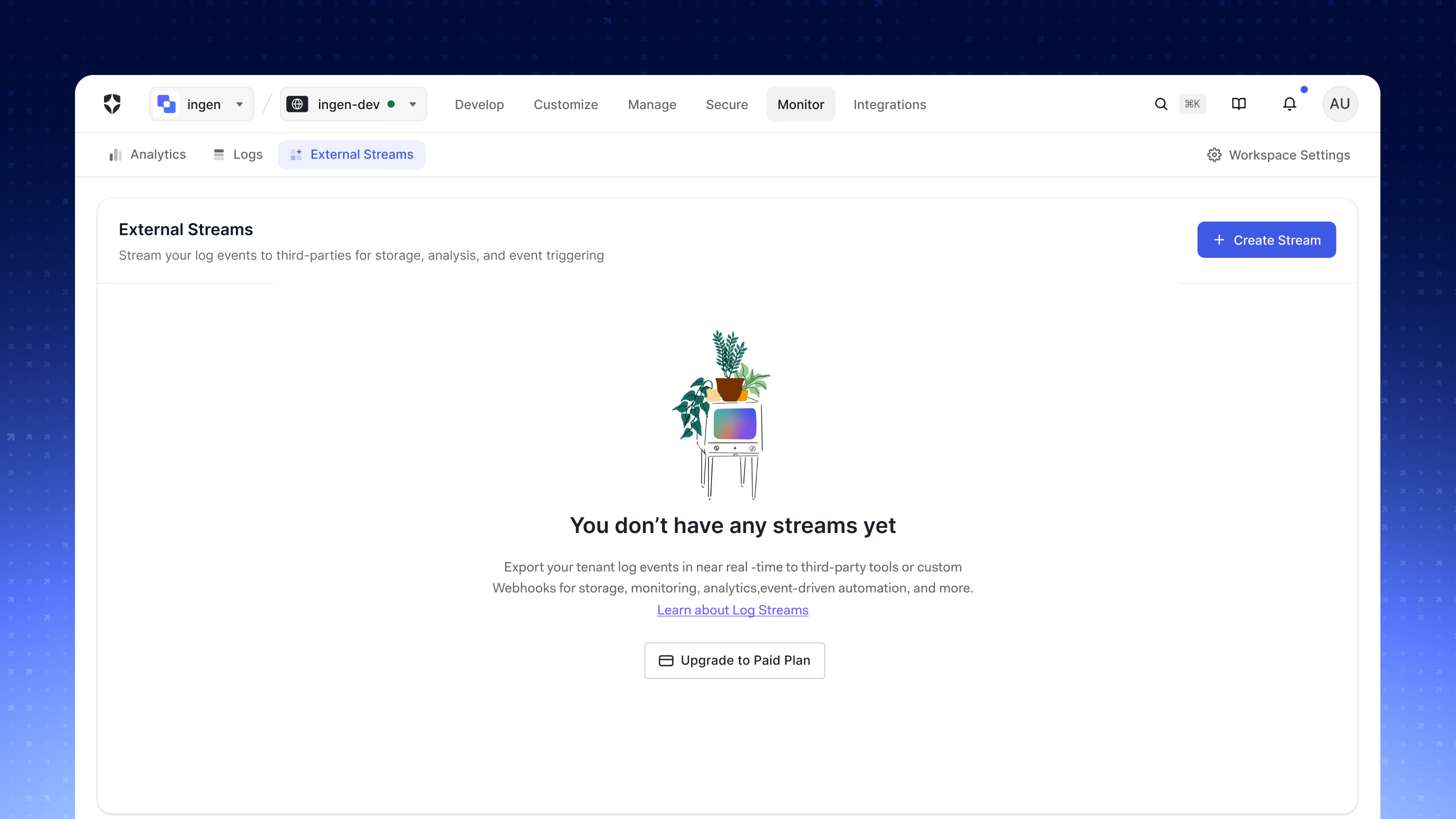
The External Streams page in an empty state, with an illustration of a plant on a retro television, the heading 'You don't have any streams yet,' and Create Stream and Upgrade to Paid Plan actions.
The streaming entry point: a single self-service surface in place of 11 manual integrations.
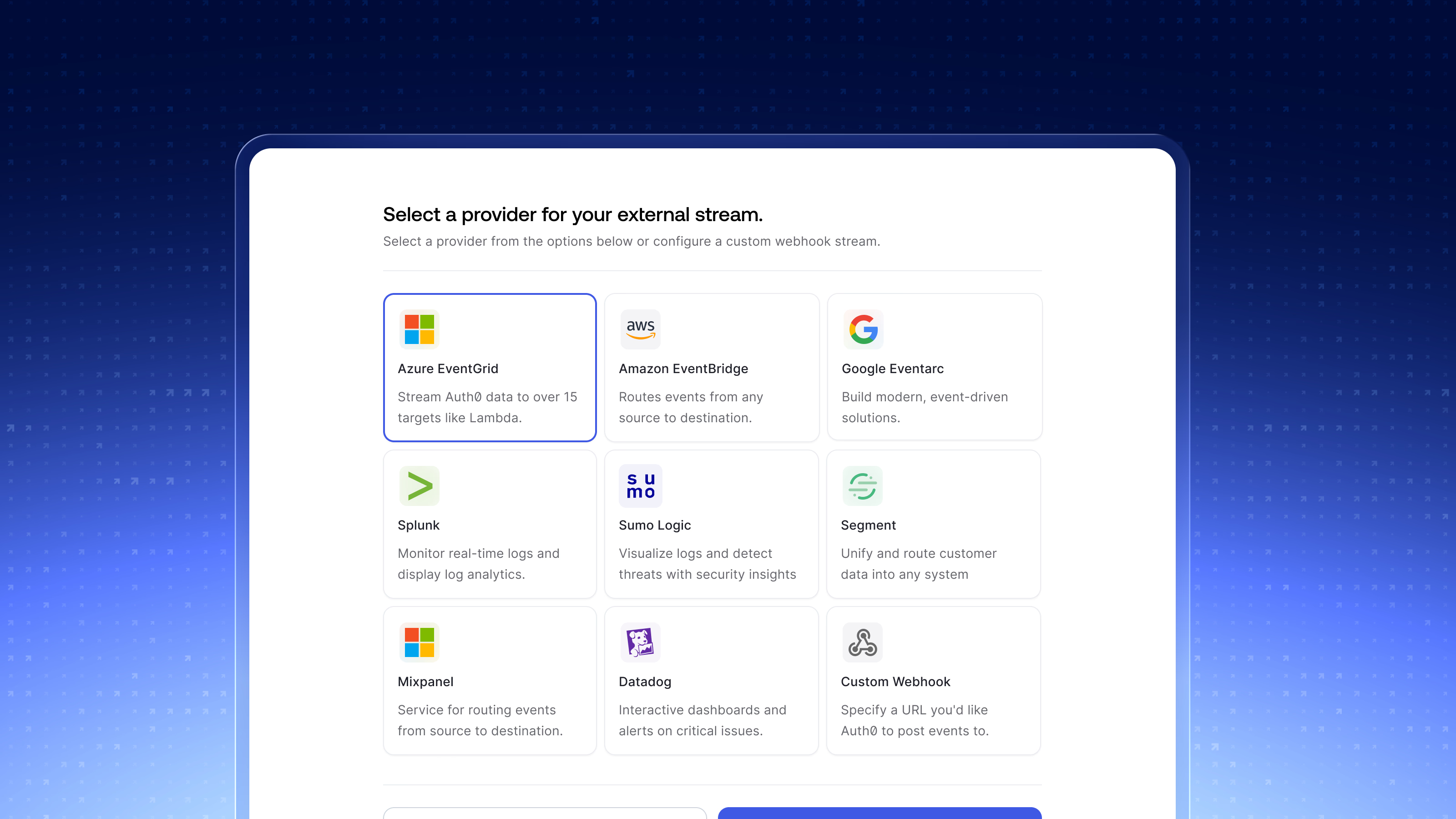
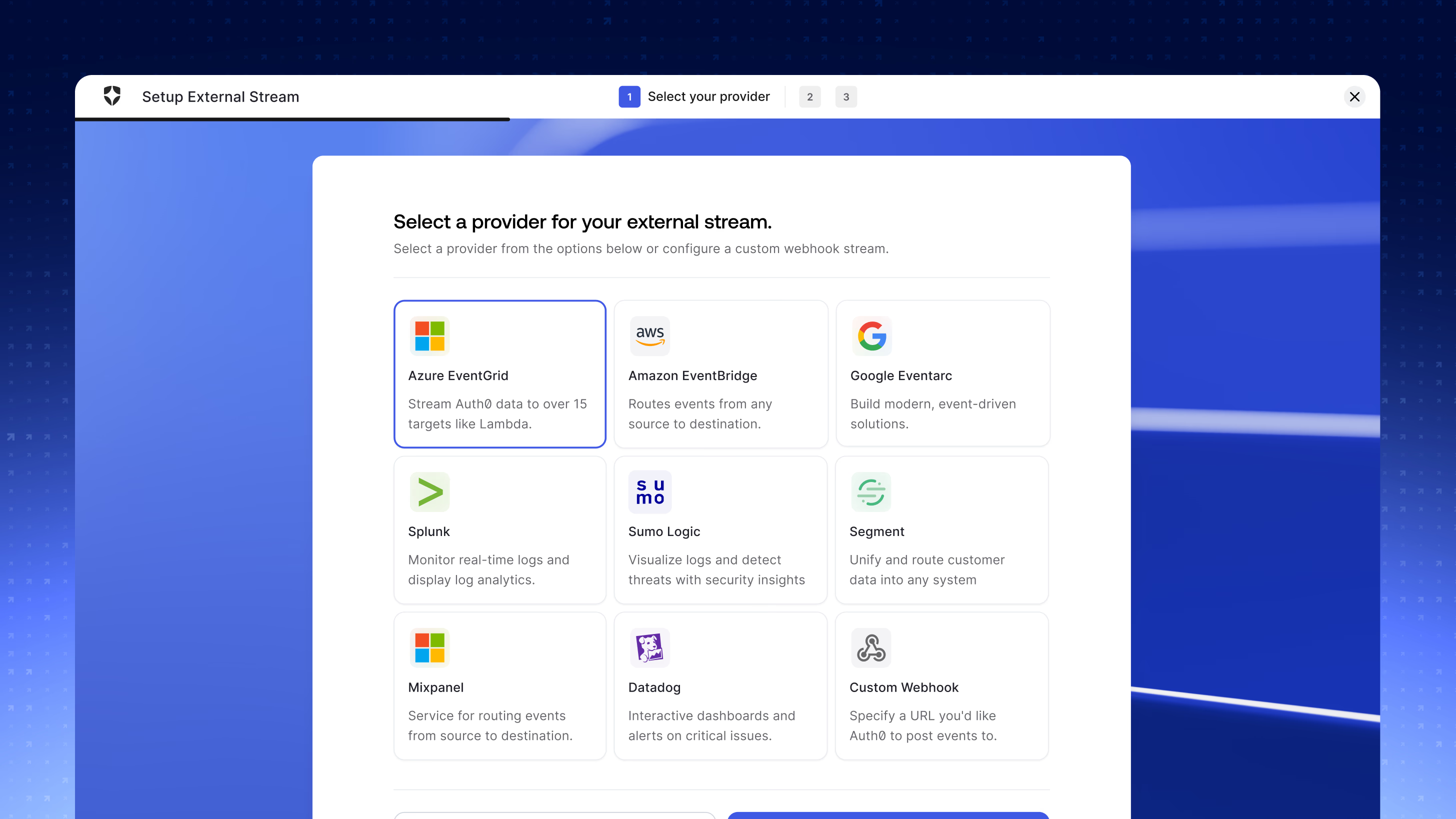
Step one of the Setup External Stream wizard, Select your provider, showing a grid of provider cards: Azure EventGrid, Amazon EventBridge, Google Eventarc, Splunk, Sumo Logic, Segment, Mixpanel, Datadog, and a Custom Webhook option.
One provider picker — Splunk, Datadog, EventBridge, or a custom webhook — replaced the legacy integrations.
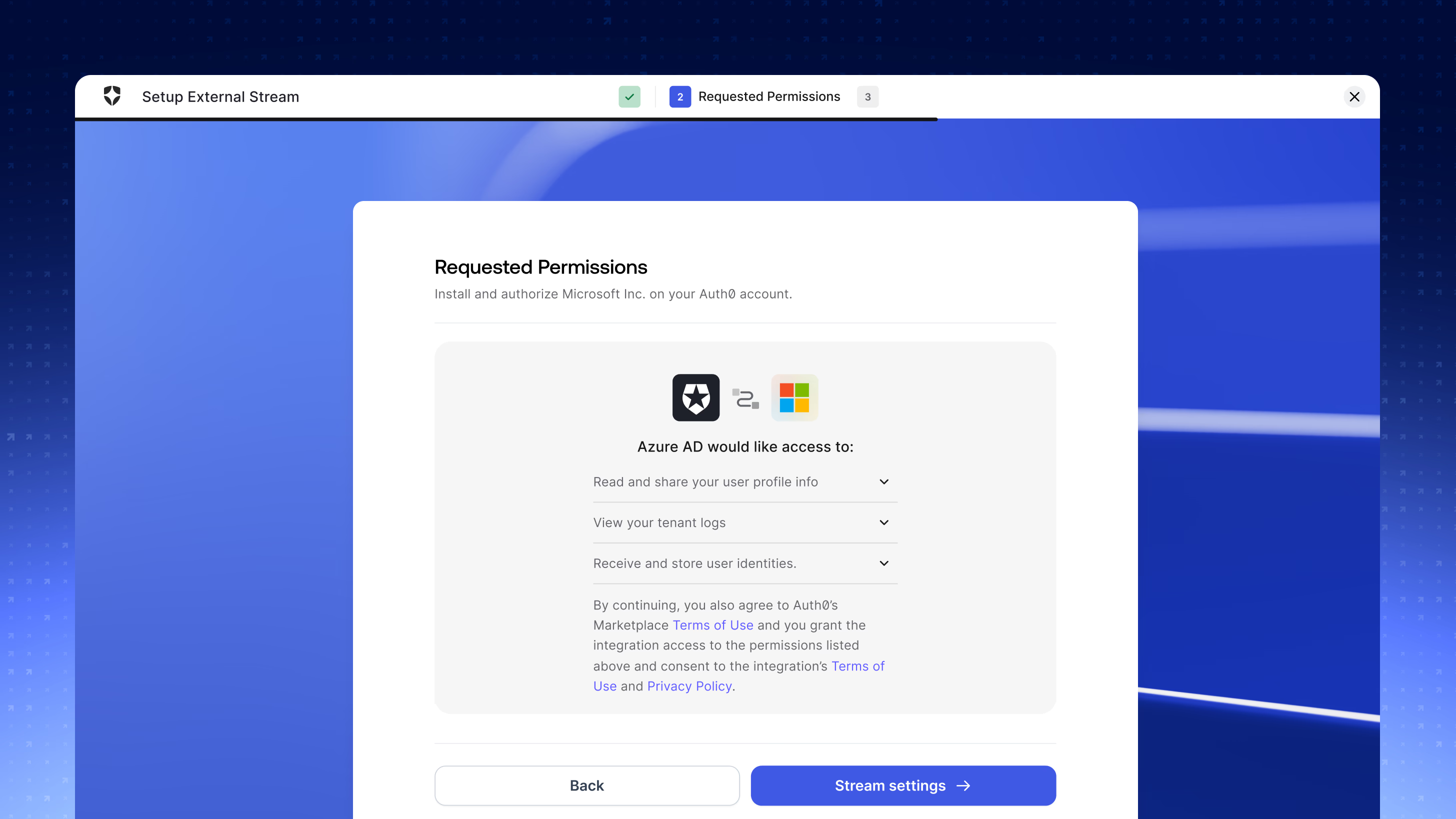
Step two of the wizard, Requested Permissions, showing the integration requesting to read user profile info, view tenant logs, and receive and store user identities, with Back and Stream settings buttons.
Permissions are scoped and explicit at install time, with each grant expandable.

The key lever was control over what leaves the tenant: event-type filtering lets developers send exactly the categories they need outside, cutting unnecessary third-party costs, with a live payload preview confirming the shape of what ships. Pagination was rebuilt around a simple load-next interaction that made result boundaries legible without requiring developers to manage identifiers manually.
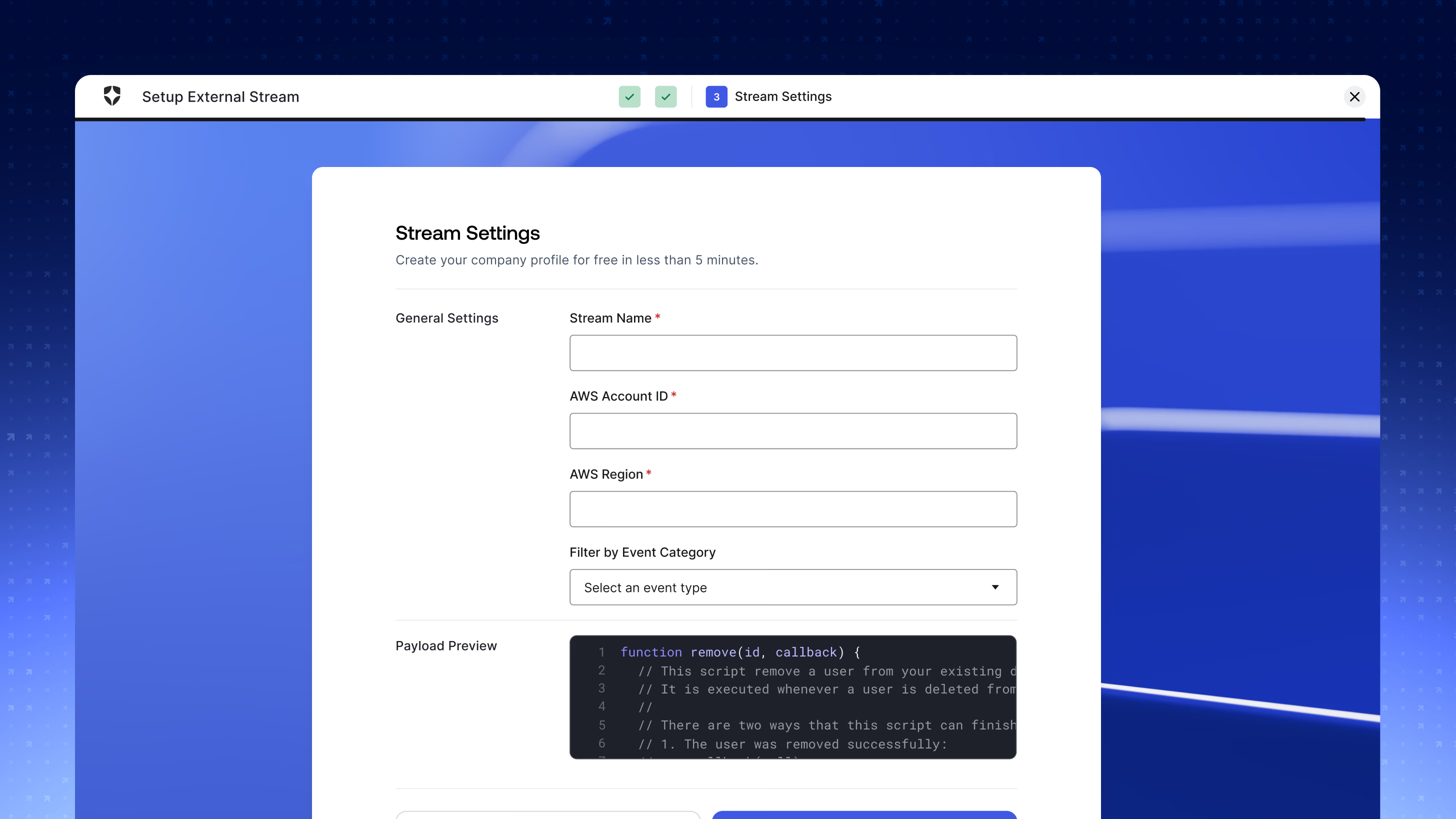
Step three of the wizard, Stream Settings, with a general settings form for stream name, AWS account ID, and AWS region, a Filter by Event Category dropdown, and a payload preview panel showing the event JSON.
Event-type filtering plus a live payload preview: developers send only what they need.

The outcome

  • Launching log streaming to general availability replaced 11 legacy integrations with a single self-service platform.
  • Log-related support tickets dropped, as the shareable search state resolved the highest-volume developer complaint.
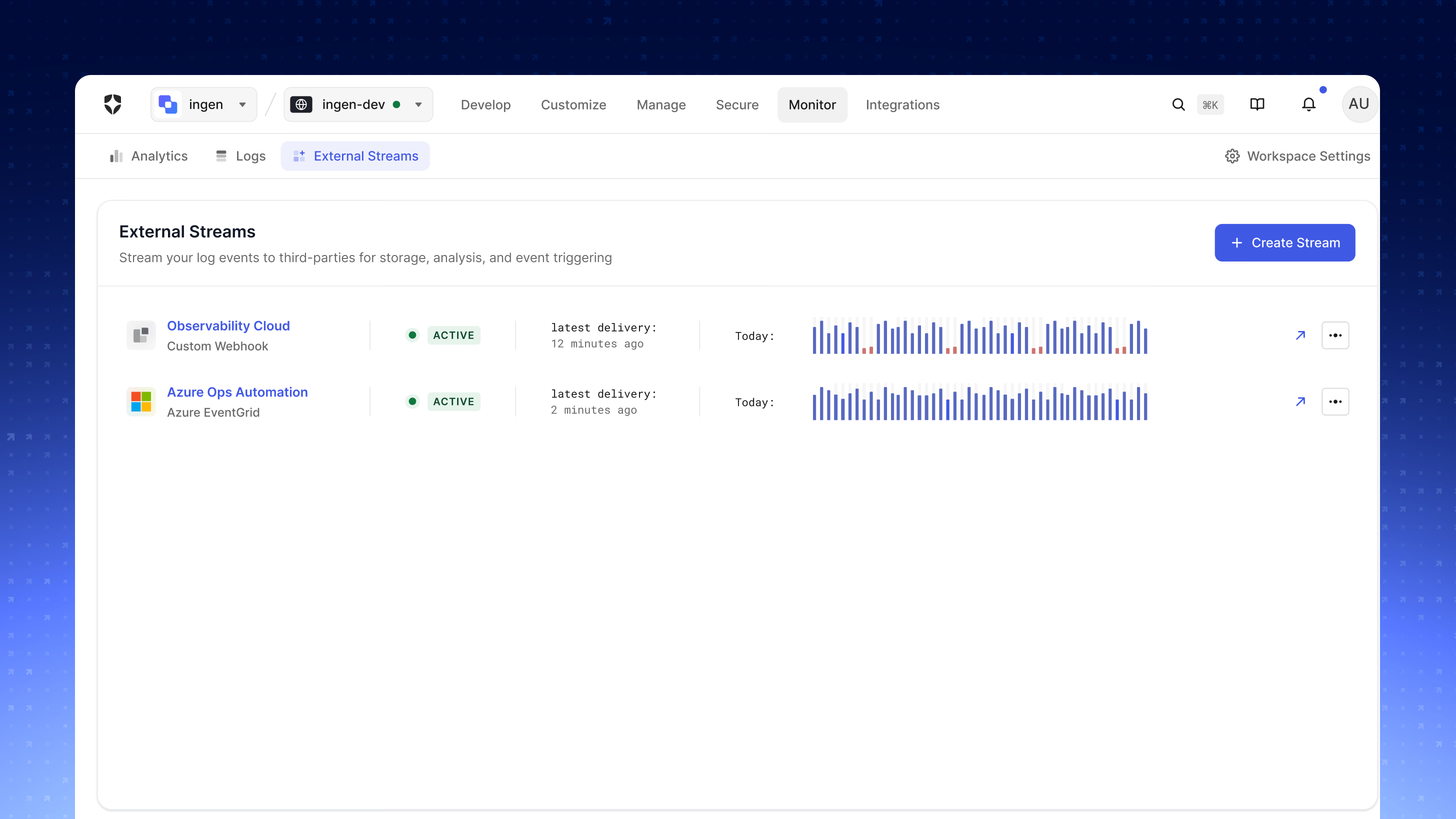
The External Streams page with two active streams, Observability Cloud on a custom webhook and Azure Ops Automation on Azure EventGrid, each showing an active status, latest delivery time, and a sparkline of today's delivery volume.
Log streaming GA: 11 legacy integrations replaced by one self-service platform with per-stream delivery health.
Next project Dashboard Guidelines

Let’s talk.

Tell me about the role and team, whether it’s a product design lead, IC, or something in between, and I’ll get back to you.

I typically respond within 48 hours during business days.