The problem
Developers using Auth0’s identity platform routinely lost hours switching between the dashboard and documentation to configure security settings. The goal was to embed a conversational AI assistant directly into the product, so developers could get accurate, actionable guidance without breaking their flow.
What I did
I took over as design lead after an early exploratory concept, developing the experience toward release. Two rounds of internal alpha testing shaped most of the core decisions.
Trust was the first real problem. Users appreciated the speed but hesitated to act without being able to verify what the AI told them.
I want to take the action myself. I want to see what else is around it, not just have it turned on for me.
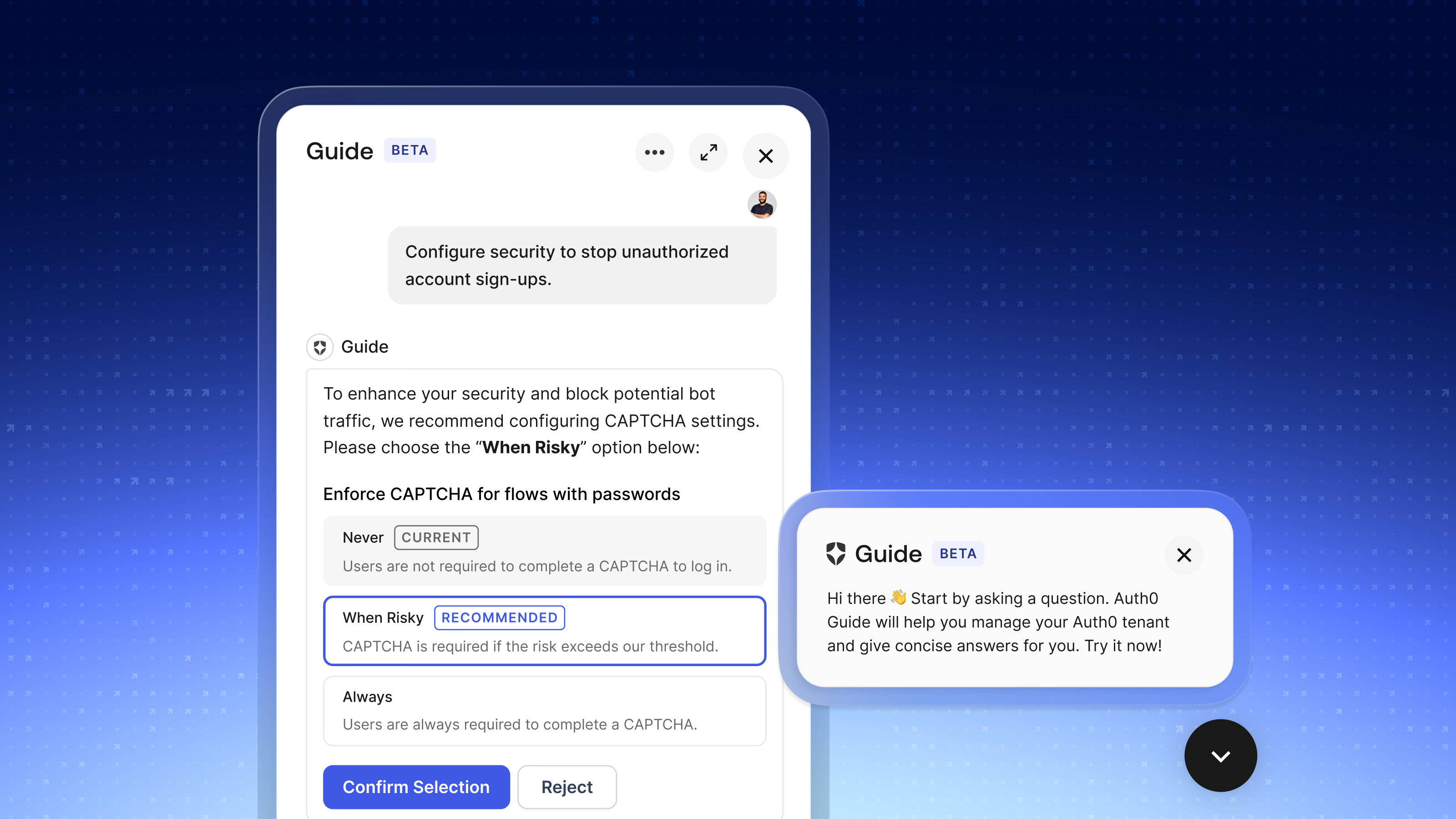
That pushed me toward two principles: anchor sources directly into the response stream so users could check facts without leaving the conversation, and keep every change user-initiated. Guide onboards by explaining what it does and what it draws on, then proposes actions the user explicitly confirms. It never flips settings on someone’s behalf.
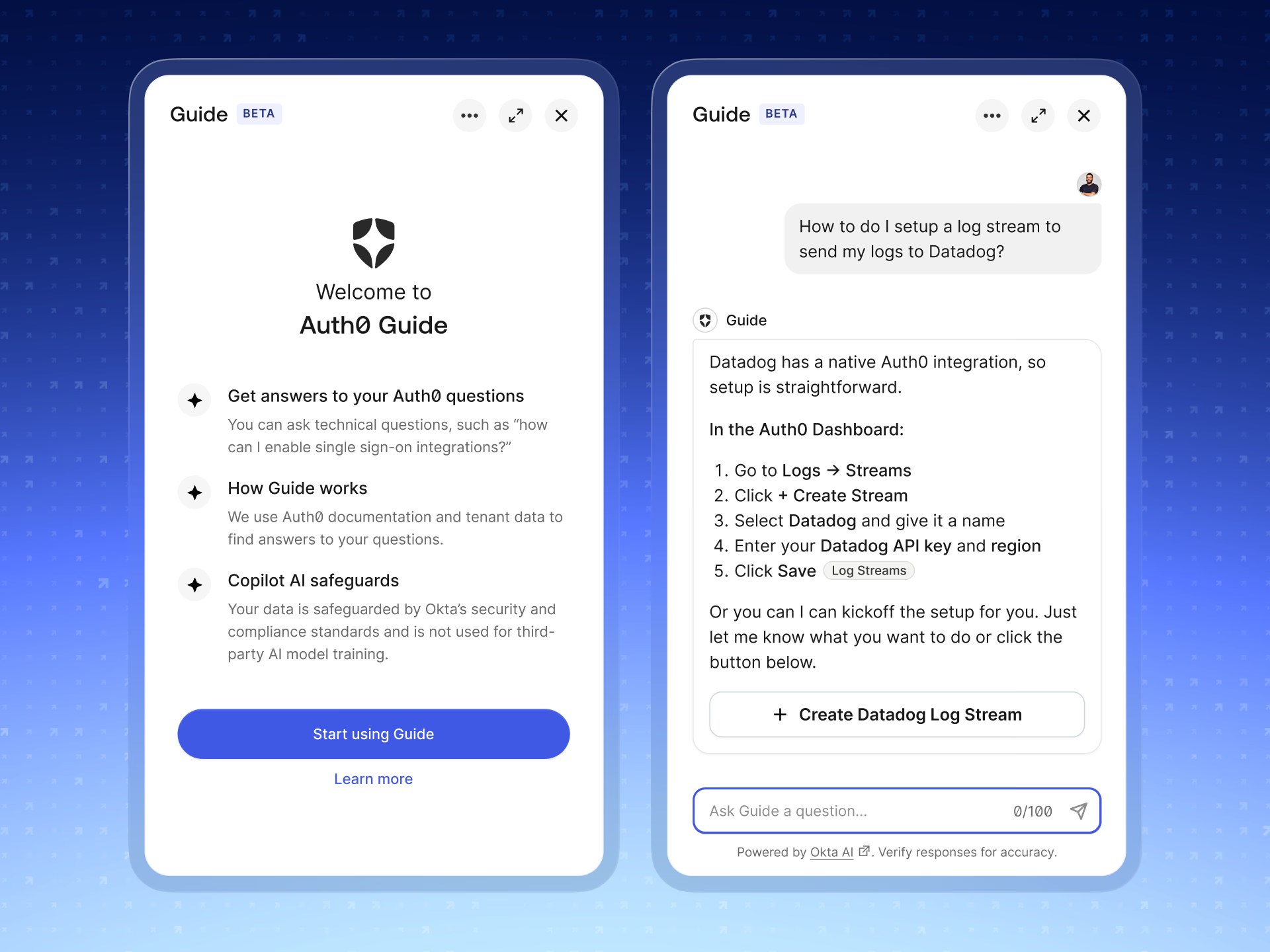
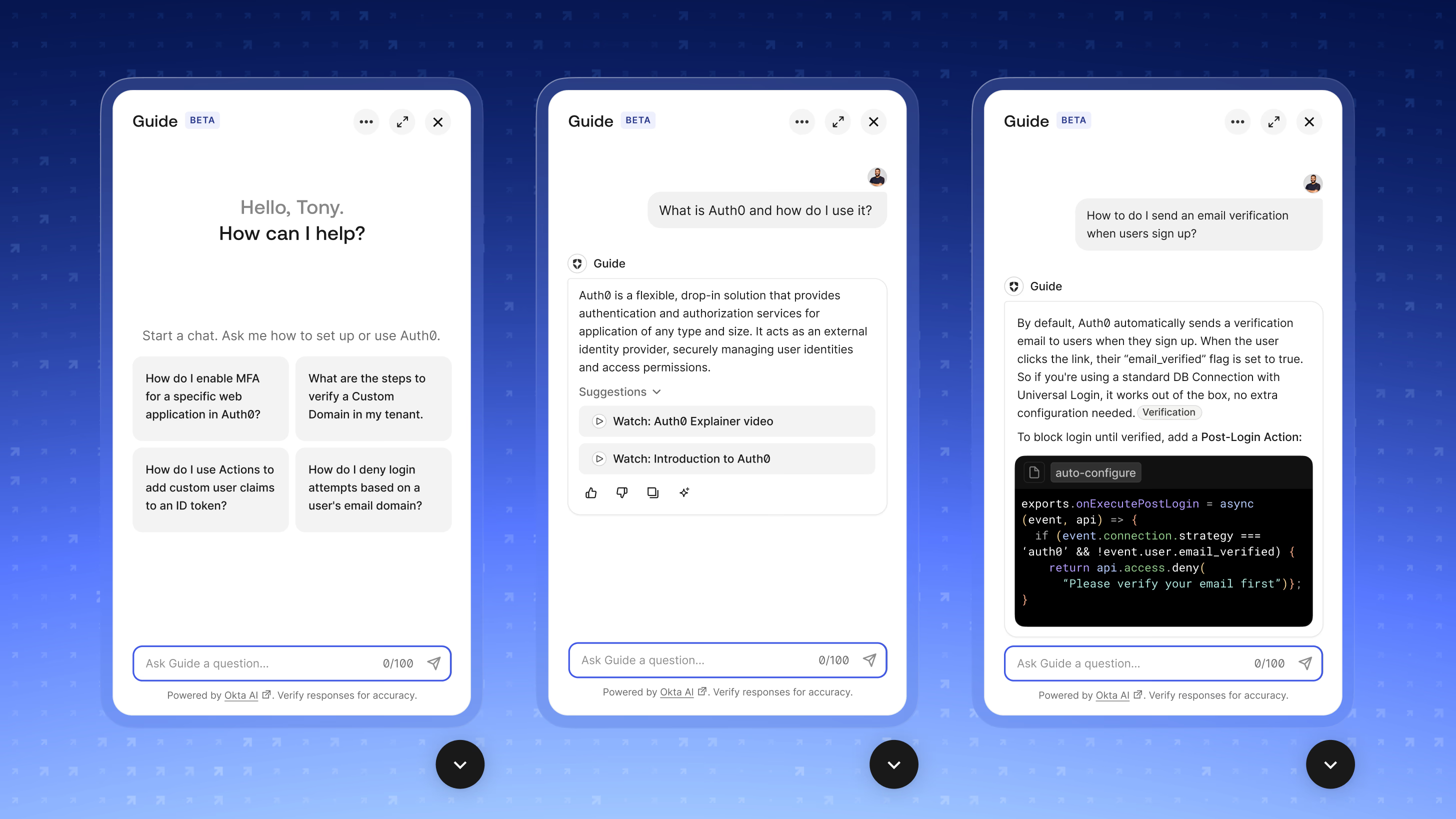
The second issue was hallucination. When prompted with impossible configurations, the AI would sometimes invent steps. Rather than hide this, I leaned on suggested prompts that steered users toward answerable questions, and grounded responses in copy-ready code and source links, so confidence came from something verifiable, not just fluent prose.
To accelerate validation, I deployed the interface to an internal staging environment while production infrastructure was still being developed. This let us test live components against the AI earlier in development, iterating on streaming response states and rate-limiting behavior in real conditions.
The outcome
The work supported Guide’s public beta. The experience brought together:
- Collapsible chat drawer optimized for multitasking
- Inline action pills that populated configuration fields directly from chat responses
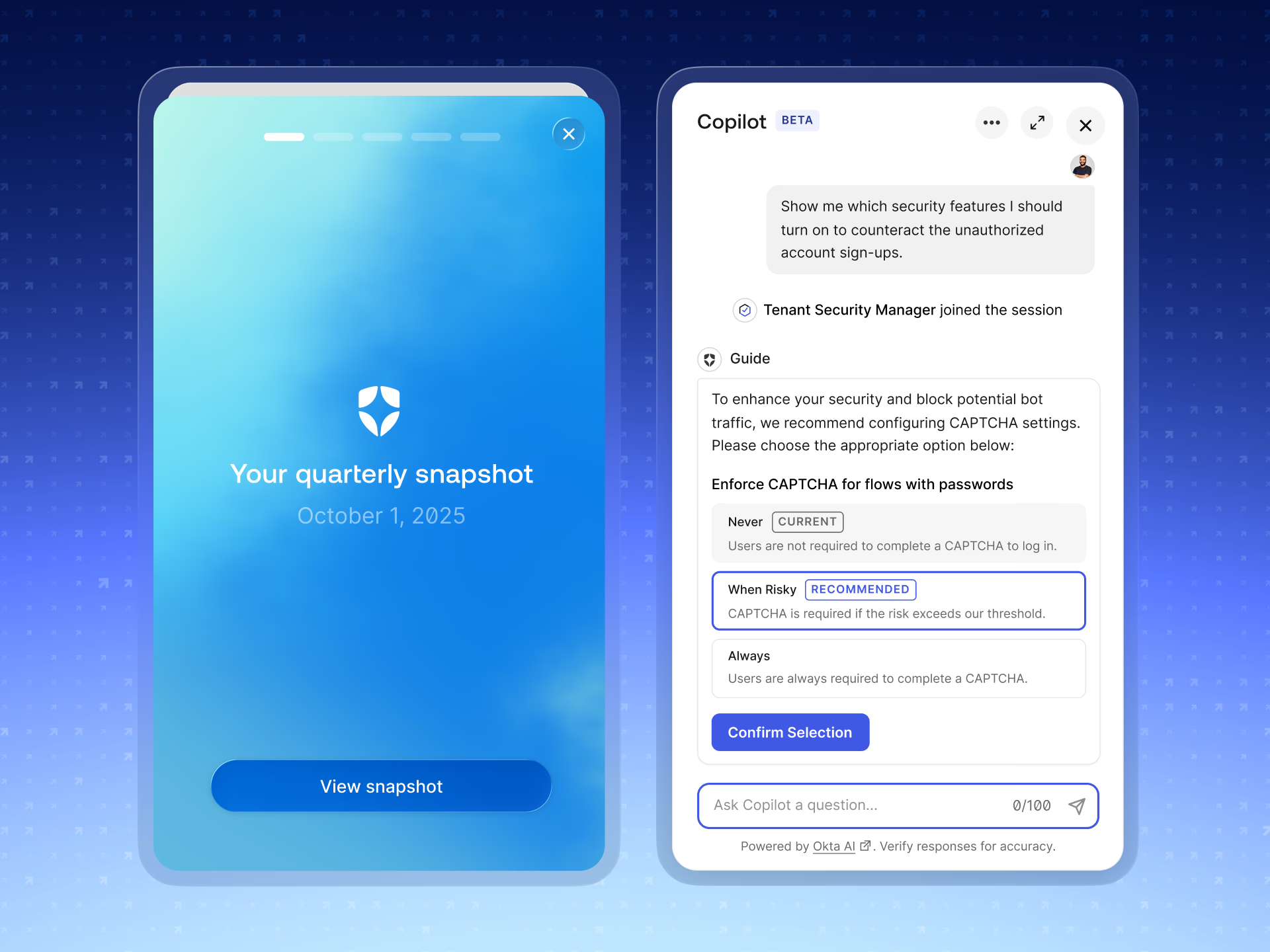
- Tenant Security Manager that answered security questions with live tenant data
- Quarterly snapshots recapping usage and key outcomes, giving customers and account teams a clear view of value at renewal
- Source citations that let users check the basis for an answer
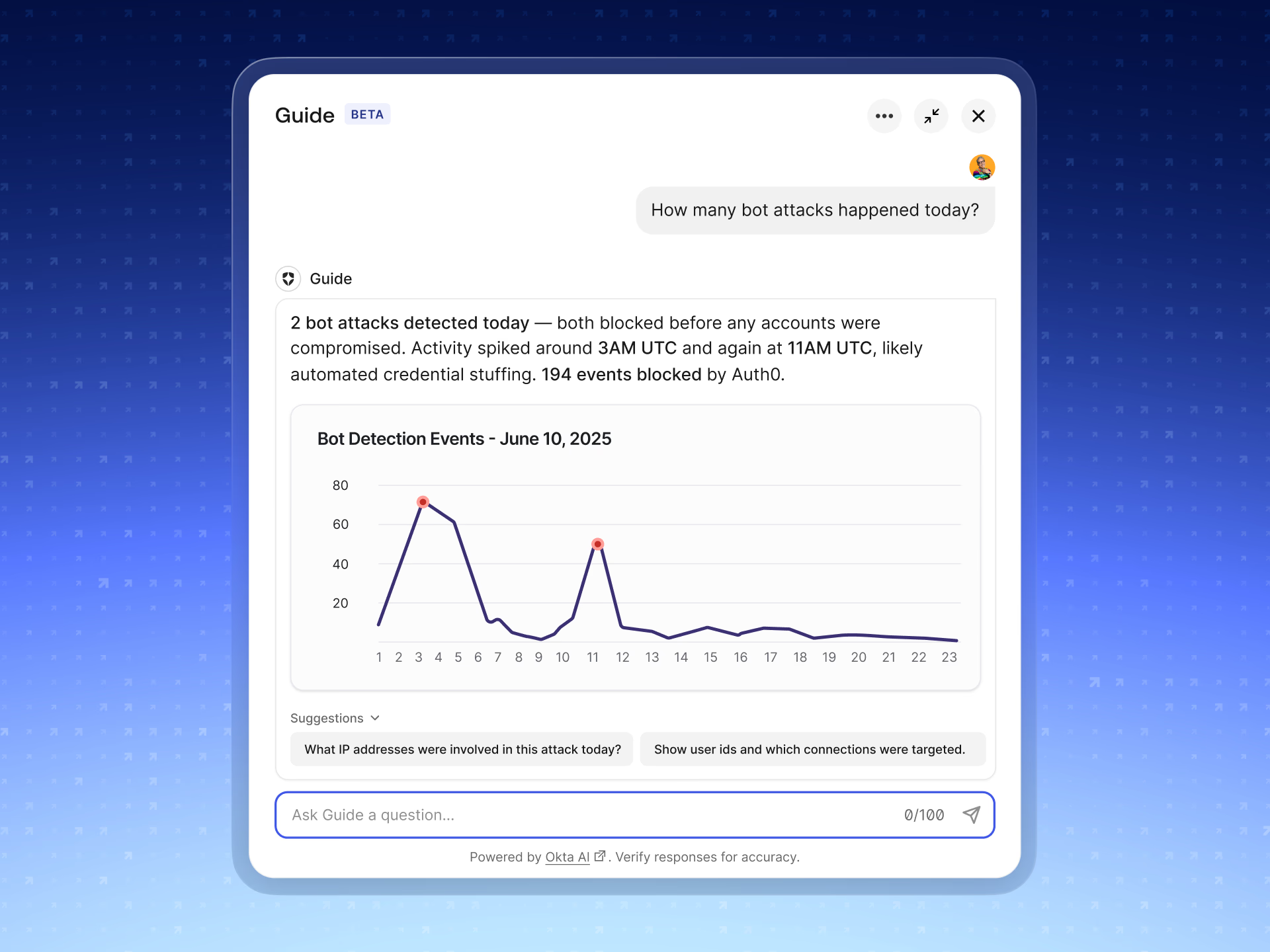
Guide also surfaces recommendations and value in context. Ask how to harden an account and the Tenant Security Manager joins the session to help enable the right protection. At the end of each quarter, a snapshot recaps usage and key outcomes, so customers can see the value they’ve realized and account teams have a concrete story at renewal.