
The problem
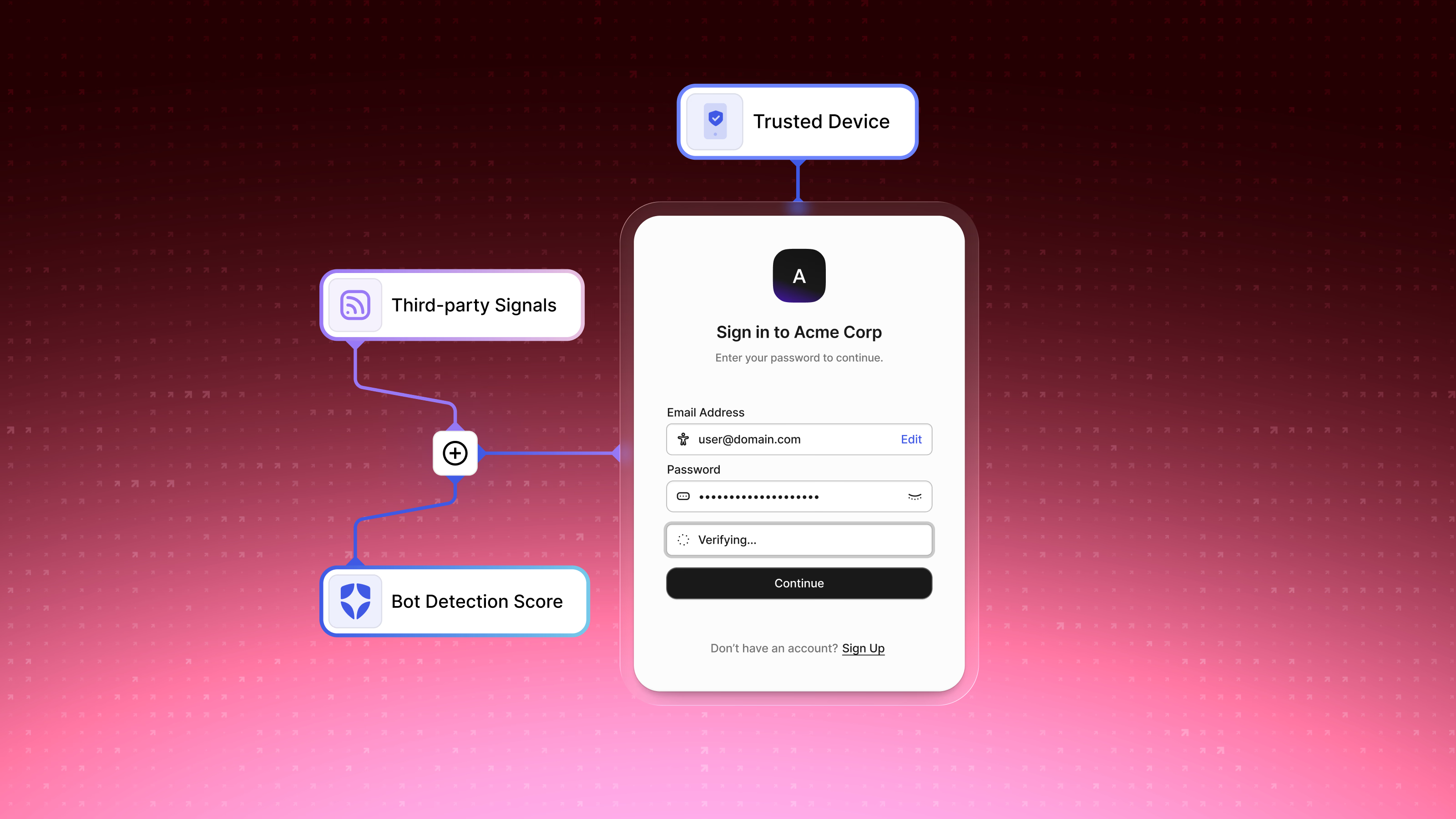
Auth0 had defensive features for credential stuffing, bot traffic, and brute-force attacks, but they were hard to find, difficult to configure, and generated so many alerts that security teams had stopped paying attention to them. Research found some users didn’t know the features existed at all:
I’m not sure whether you guys have that feature already.
What I did
I organized the full suite under a single Security section, structured to match how security professionals think about layered defense rather than how the features happened to be built. Bot detection, suspicious-IP throttling, brute-force protection, and breached-password detection became one hub where the state of every defense was legible at a glance.
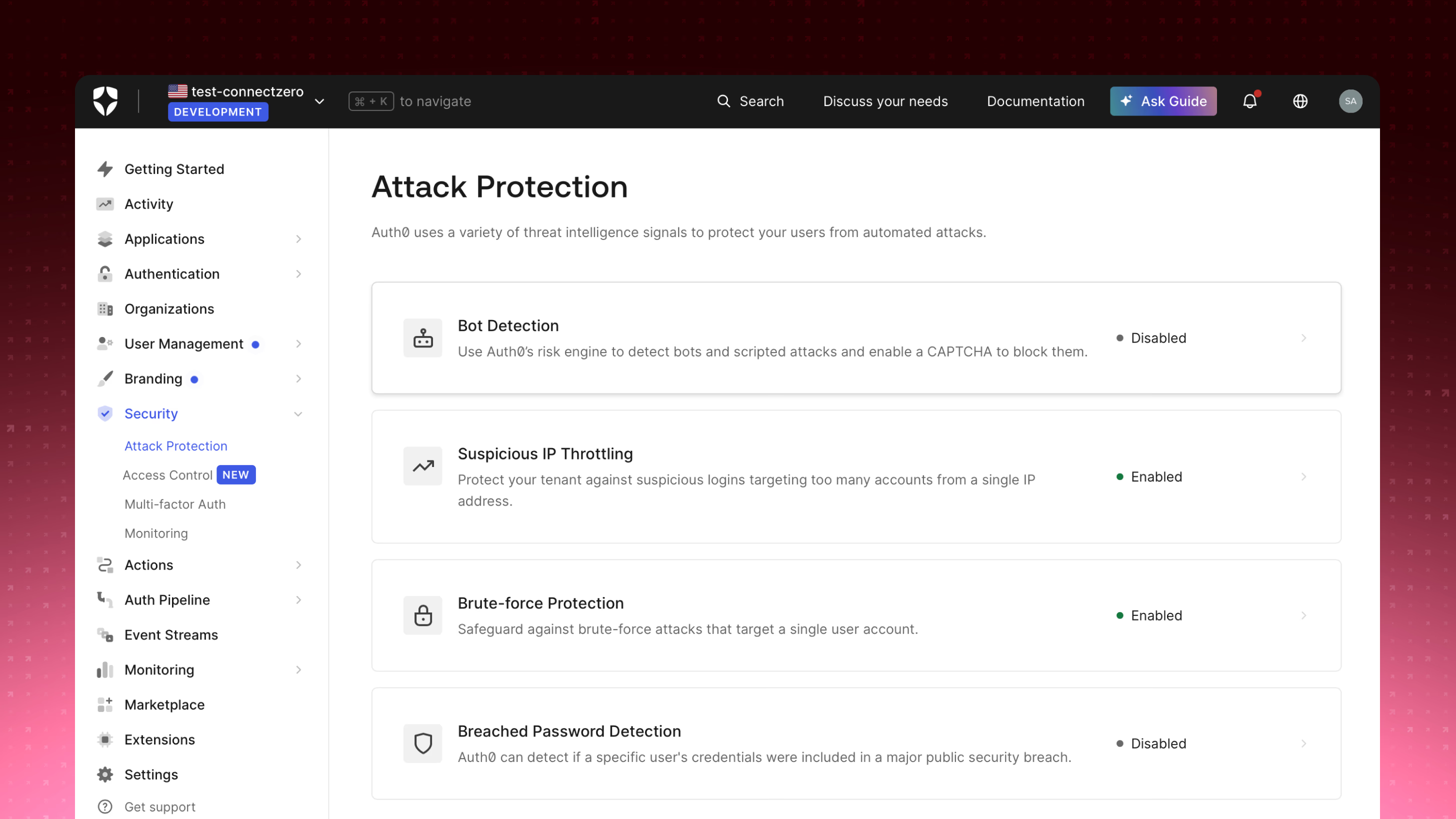
Multi-factor authentication moved into the same Security section, so the factors protecting a login lived alongside the systems detecting attacks against it.
Three problems shaped the detailed design:
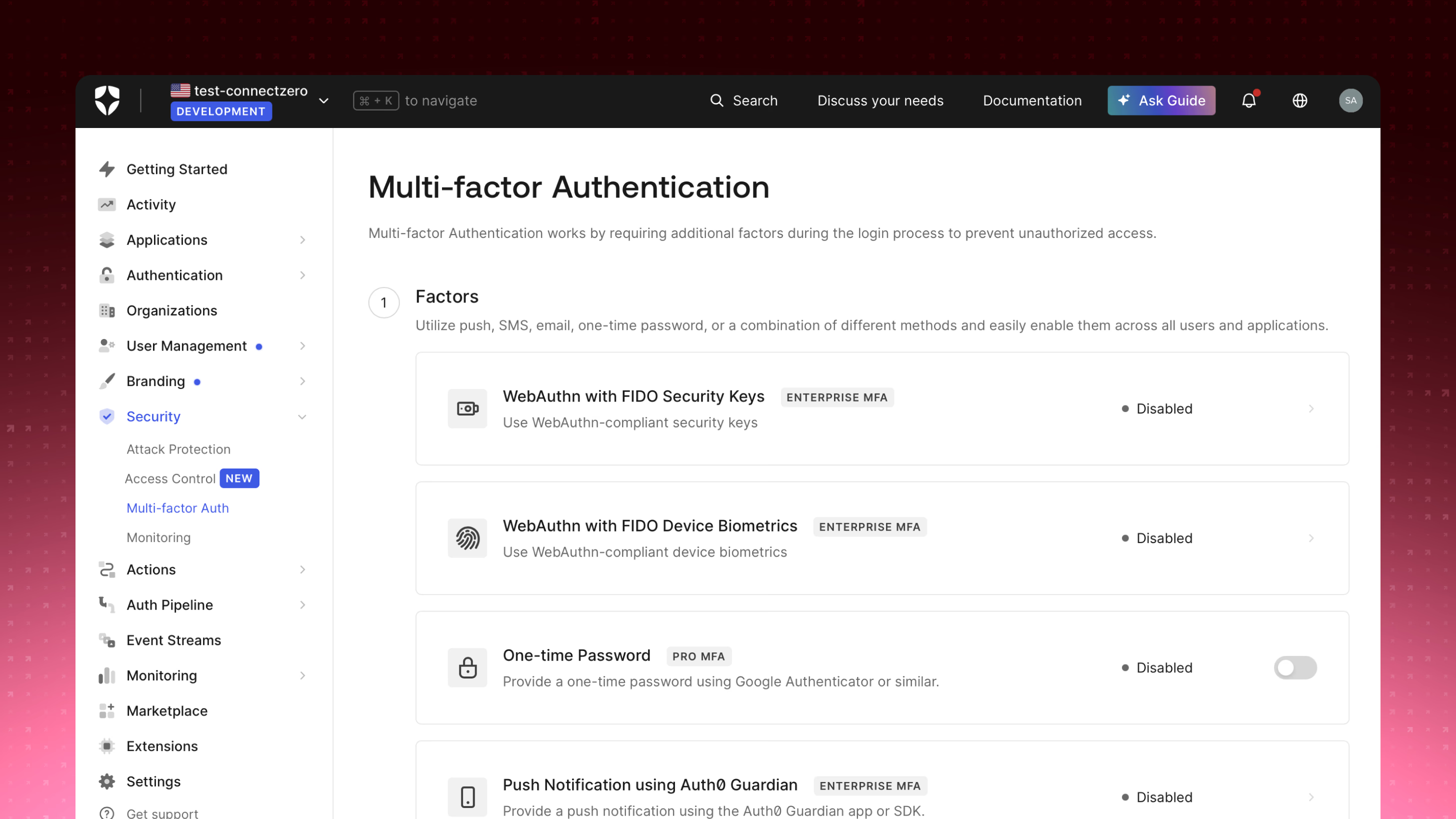
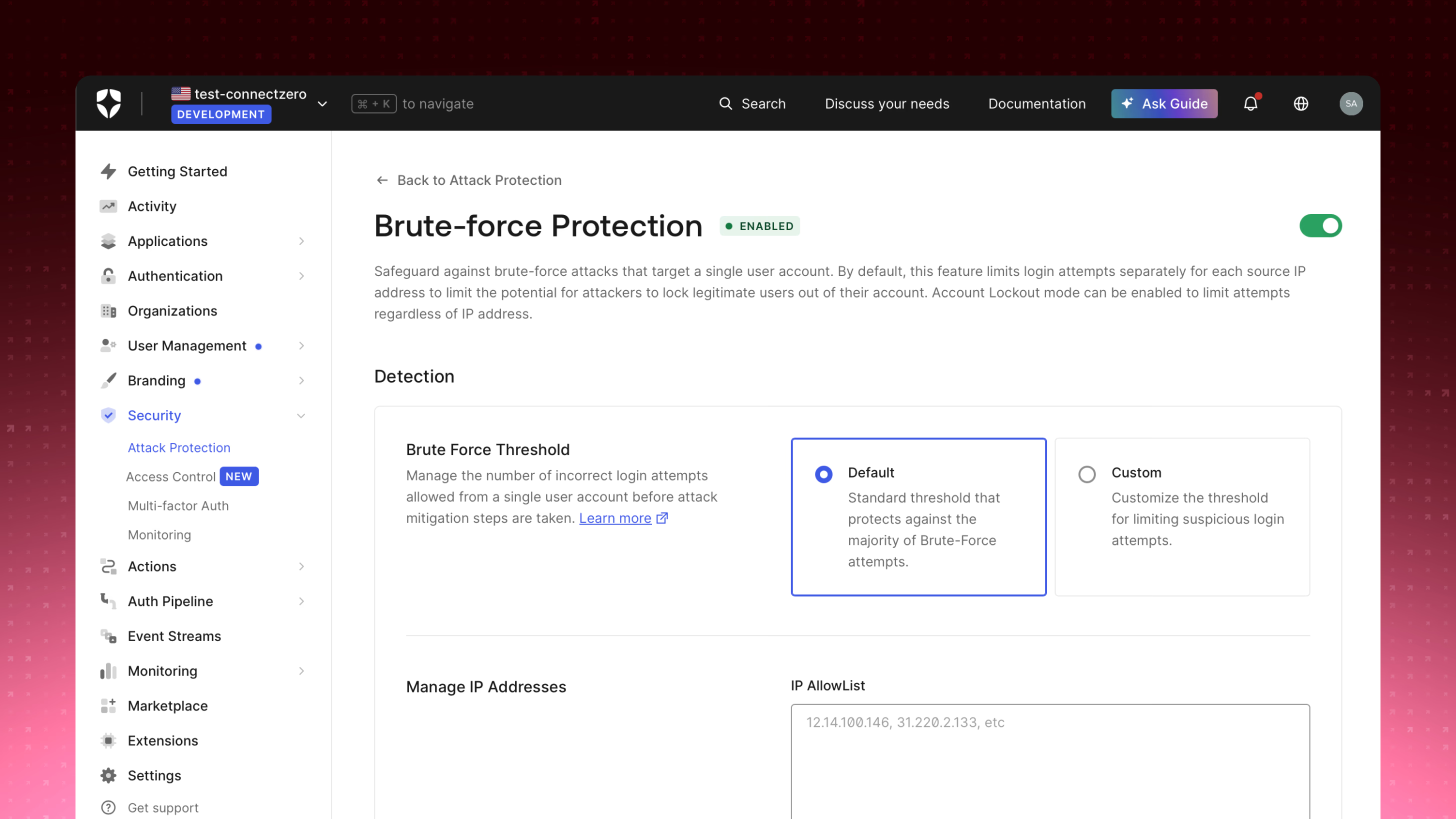
- Consequence clarity. Sensitivity controls for bot detection and IP throttling were straightforward to design, but usability testing revealed users wouldn’t act on them without knowing the consequences: “It doesn’t say what happens if I set it to Always.” Each mode and threshold now documents its real-world effect inline — Monitoring versus Active, Default versus Custom — so a choice carries its outcome with it.
- Recovery. When legitimate users get blocked by brute-force protection, a generic error screen damages trust in the customer’s product. I designed a customizable recovery flow that keeps users within the organization’s visual identity throughout.
- Alert fatigue. Hourly repeat alerts for the same flagged user had caused teams to tune out entirely. Grouping and suppression controls brought the signal-to-noise ratio back to something usable.
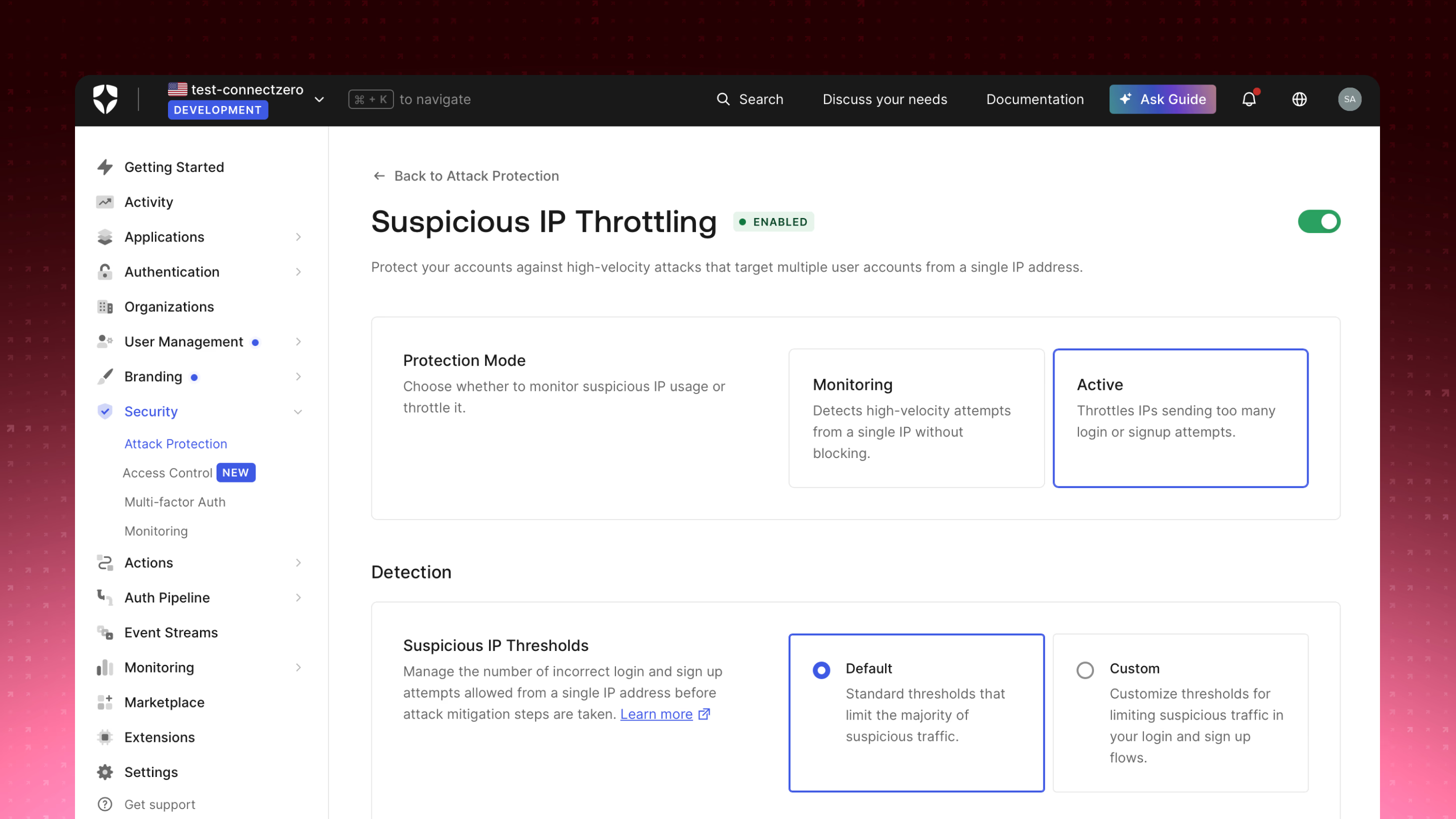
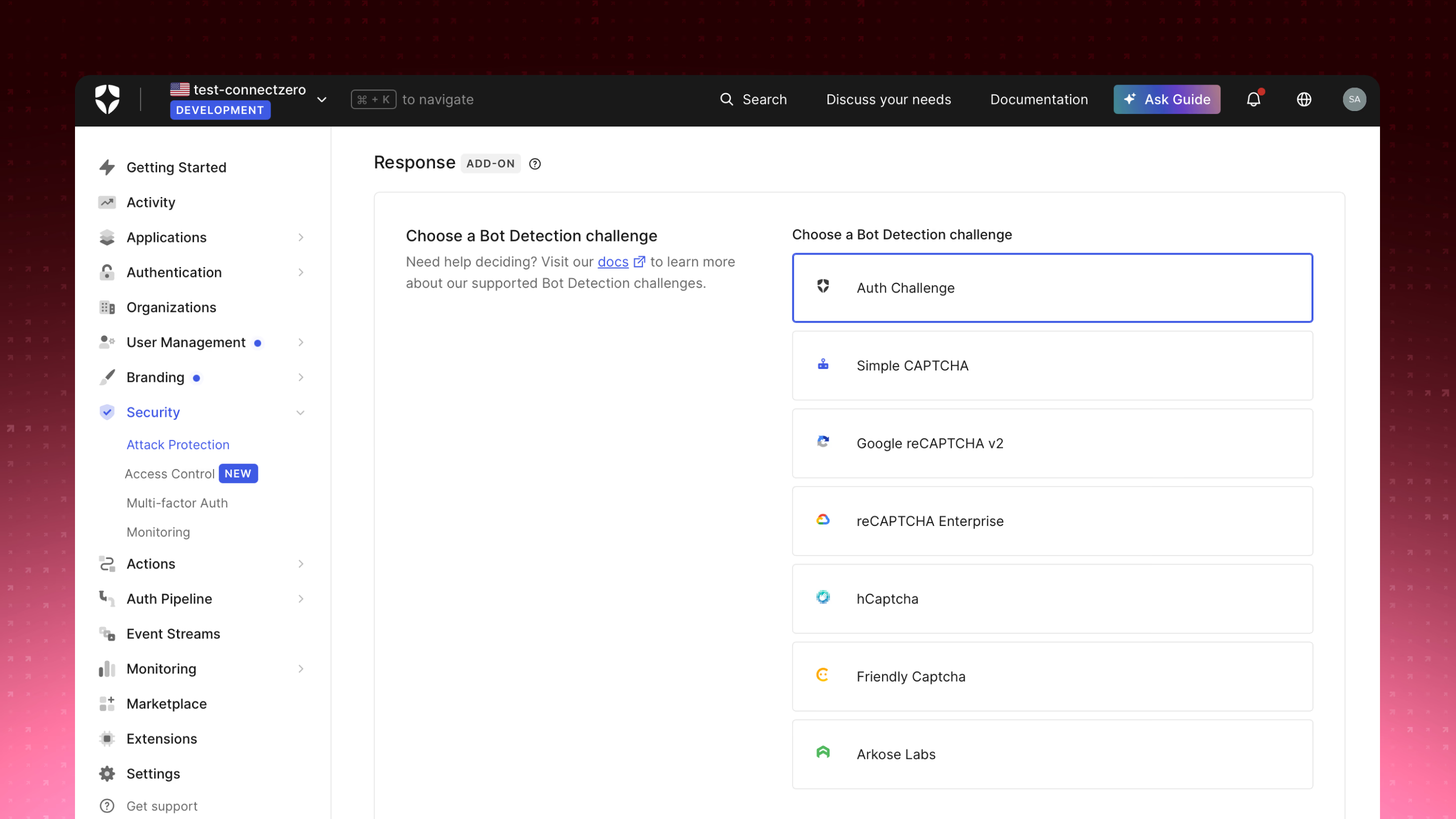
For bot detection, the response was made a deliberate choice rather than a hidden default: teams pick the challenge that fits their risk tolerance and existing tooling, from a lightweight Auth Challenge up to enterprise CAPTCHA providers.
The outcome
Attack Protection is now one of Auth0’s most successful enterprise security features, adopted by large financial institutions that previously relied entirely on external tools for threat monitoring.